Teachers
- Take the register from the class page, saved straight to your MIS
- Set homework for a class in a minute and see who has done it
- Plan a lesson once, reuse it, and share it with your department
- Reward or sanction a whole class in a few clicks
New for 2026/27 · UK secondary schools
Rewards and sanctions, attendance, homework, cover, duties, parents’ evenings and trip payments: thirteen modules that run on the data already in your MIS. Choose only the ones your school needs.
40% off every module from the day your school is set upFree 30-day demo school, set up like yours. Or email contact@laureatus.co.uk
No installing, no spreadsheets to upload and no long setup project. Laureatus reads what your MIS already knows.
Give Laureatus access through Wonde. Students, staff, classes, tutor groups and houses arrive within 48 hours, then update every night. How the MIS Connection works
Start with the MIS Connection, then add the modules you want from inside Laureatus, whenever you’re ready. Each is priced by the days left of the year, with 40% off.
Their classes are already there. Roles and permissions decide who sees what, and students and families follow along in their own apps.
Every module shares the same students, staff and classes, so a reward, a detention, a missed homework and a parents’ evening booking all sit in one place.
One system for the whole school, so each person sees the part of the day that’s theirs.
Students see their progress for themselves, and parents, relatives or family friends can back up the school’s targets with rewards of their own at home.
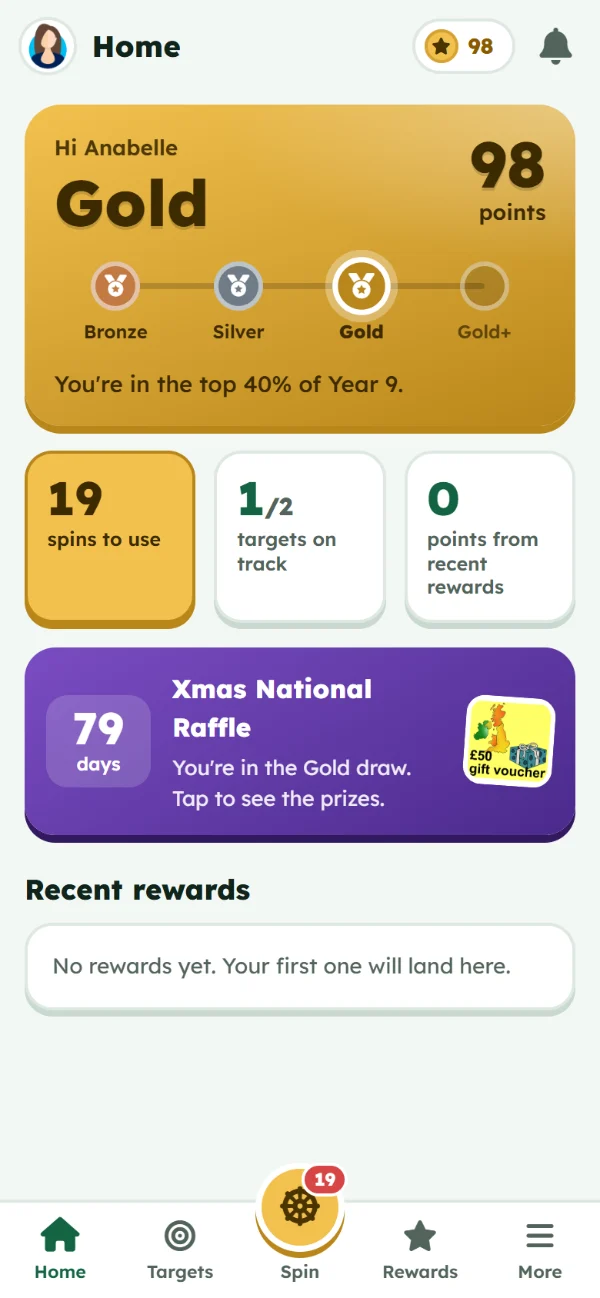
On a phone, tablet or computer, or as an Android app. Students see:
Your school decides when the app can be used, for example only before school, at lunchtime and after school.
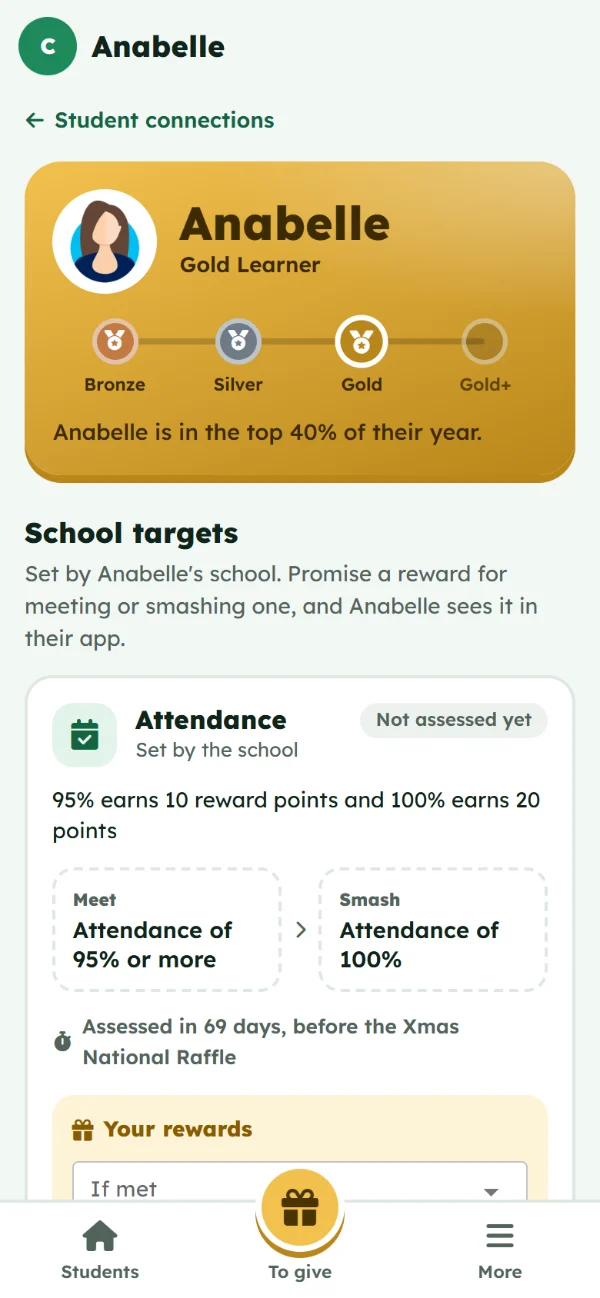
Parents, carers, relatives and family friends connect using a private code from the student app. They can:
Home app users don’t see points, rewards or staff messages. Staff with permission can see who is connected to a student and remove a connection.
Student data is a safeguarding matter, not just a compliance one. Laureatus gives your school control over who sees what, who students connect with, and when the apps can be used.
Student data comes from your MIS, and only for the year groups taking part.
Teachers see their own classes. Extra access, such as statistics or managing student accounts, is given by role.
An adult can only connect with the student’s own code, and staff can review and remove any connection.
Student avatars stay pending until a member of staff accepts them.
Staff are signed out after 30 minutes without activity, and five wrong passwords lock the login for a while.
Turn either app off, limit when students can use it, or suspend a single student from it.
Laureatus: crowned with laurel.
For more than two thousand years, a laurel wreath has meant that someone earned their place. The gold wreath at the foot of this page was made in Greece over two thousand years ago.
Schools have always kept that tradition alive, with merit badges, honours boards and prize days. Laureatus brings it to every student, every week, and gives the staff around them one place to run the school day.
These schools have given us permission to show their name and what their staff think of each module. Staff rate each one from 1 to 5 stars.
Yes. Ask for a free demo school: your own private Laureatus school for 30 days, shaped like yours and full of made-up students, staff, classes and a timetable, with logins for every role. Or book a free 30-minute video call and we’ll show you round.
Yes: 40% off every module from the day your school is set up. Set up on or before 31 December, your first part-year is your 40% year, then 20% and 10% off. Set up after 31 December, you get 40% off for the rest of that year and your whole first full year, then 20% and 10%. The MIS Connection is always full price. More about subscribing.
No. Choose just the modules you need: KS3 Rewards, KS4 Rewards, Sanctions, Target Setting, Notifications, Attendance, the student and home apps, Cover, Homework, School Events, Lesson Planner, Supervision Duties and HomePay. Add more from inside Laureatus whenever you’re ready. See what each module does.
Through Wonde, from your school’s management information system (MIS). Students, classes, staff and the timetable are imported every night, so class lists stay up to date as students join and leave. You choose which year groups take part. Exactly what we import.
Your MIS Connection is live within 48 hours of your school giving Laureatus access through Wonde. Staff then log in to find their classes already there.
Very little to start, because nothing has to be typed in: classes, staff and the timetable come from your MIS. Registers, rewards, sanctions and homework all start from a teacher’s own class page, and the cover and duty rotas email each person what they need.
Only the year groups you choose are imported, staff see what their role allows, and your school decides which apps are switched on and when students can use them. Read about safeguarding and data protection.
Try a free demo school for 30 days, or book a free 30-minute video call at a time that suits you. No obligation.